



Key Takeaways
- Crawl errors are why pages disappear from search results without warning. They block crawlers, break link equity, and compound quietly over months.
- 404 errors, broken internal links, and redirect chains are the three you will encounter most. Left unchecked, they cost rankings faster than any content gap will.
- Fix broken links by updating or removing them. Redirect dead pages with 301s. Collapse any chain longer than one hop into a direct redirect.
- With XOVI’s Site Audit, you can see the source of every broken link, prioritise the top fixes first, and track measurable improvements after each audit cycle.
A page that ranked last month is gone today. The content has not changed. Neither has the strategy. So, what went wrong?
Somewhere on the site, a deleted page left a dozen internal links pointing nowhere, and a handful of 404s bled out the link equity that had been holding those rankings in place.
That’s what crawl errors do. They erode silently without announcing themselves. Hence, you need to audit your site regularly. The first step is to update or remove broken internal links and confirm that no live page returns a 404.
This blog explores how to find crawl errors, fix them, and use XOVI’s Site Audit to do it systematically.
The Three Crawl Errors That Hurt Most
Every site has crawl errors. The question is which ones are actively costing rankings. Here are the most common crawl errors and the ones most likely to go unnoticed without a proper audit.
1. 404 Errors (Broken Pages)
A 404 means the page is no longer available. The URL exists in your link structure, but the server has nothing to serve.
From an SEO standpoint, this does three things you do not want –
- Wastes crawl budget
- Kills the link equity that was flowing through those links
- Signals poor site maintenance to search engines
If a page with decent backlinks returns a 404, all that external authority is going nowhere.
How to Fix?
The fix depends on context. If the page’s content has moved, set up a 301 redirect to the new URL. And if the page is returning a 404 but the URL is in your sitemap, clean the sitemap.
2. Broken Internal Links
Broken internal links are different from 404s in one important way. The destination page might still exist, just at a different URL. This happens when someone
- Restructures a category
- Changes a permalink
- Migrates the site
The crawler follows those links, hits a wall, and moves on. The internal link equity that should be flowing through your site’s architecture is leaking out instead.
How to Fix?
Finding these manually is not realistic on a site of any real size. You need a crawler to map every internal link to its destination’s actual HTTP status. XOVI’s Site Audit does exactly this –
- Flags every URL that returns a 404
- Shows you exactly which page the broken link lives on
- Gives you the source URL to fix
3. Redirect Chains
A redirect chain occurs when URL A redirects to URL B, which in turn redirects to URL C. It is common after site migrations or years of accumulated temporary redirects that nobody cleaned up.
The problems are compounding –
- Each hop in the chain costs time for crawlers and for users
- Some crawlers stop following chains after a certain number of hops. This means the final destination page might never get crawled
- Every hop in a chain dilutes the link equity being passed. Hence, the signal that reaches the final URL is weaker than what entered the chain
How to Fix?
The fix is to collapse the chain. Every internal link and every redirect should point directly to the final destination. No intermediate stops. A 301 from A to C, not A to B to C.
How to Find All of This in XOVI’s Site Audit
XOVI’s Site Audit tool is built to surface exactly these issues without requiring you to run multiple tools or manually interpret raw crawl data.
When you run a Site Audit, XOVI’s crawler –
- Maps the full URL structure of the domain
- Follows every internal and external link
- Records the HTTP status code for each destination
Here is the practical workflow:
Step 1: Run a Full Site Audit
XOVI Pro supports up to 50,000 subpages per domain. Business accounts get 100,000, and Enterprise handles up to 500,000. For larger sites with complex URL structures, you can expand the crawl range as needed.
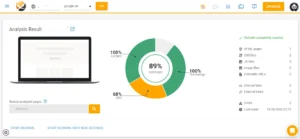
Step 2: Go to the SEO Issues Section
Filter for HTTP 404 errors. XOVI will give you a list of every affected URL and tell you exactly where each broken link originates.
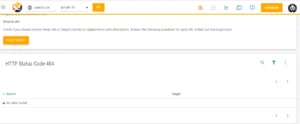
Step 3: Check for External Redirect Issues
XOVI flags URLs on your client’s site that redirect to another host entirely. Run this check alongside the 404 audit. If internal links point to URLs that redirect off-domain, link equity leaves the site rather than flowing through the internal architecture where it belongs.
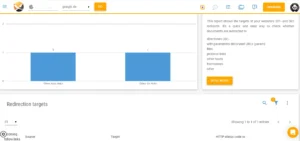
Step 4: Audit Your Internal Link Structure
Head to the Links section in XOVI. The overview provides a breakdown of internal links, external links, no-follow links, outgoing links, click paths, and link targets. This is where structural problems show up. Pages buried deep in the click path are harder for crawlers to reach. Link targets with errors mean equity is flowing toward dead ends.
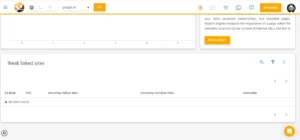
Cross-reference this with your 404 findings from Step 2. You can see which broken links are doing the most structural damage and which pages need better internal linking.
Step 5: Use the Advisor
XOVI’s Advisor takes the raw Site Audit results and turns them into prioritised tasks. Instead of working through a raw list of errors, you get a ranked to-do list.
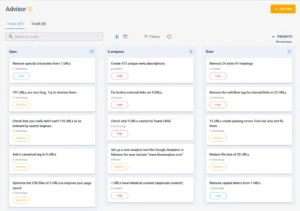
Step 6: Export and Action
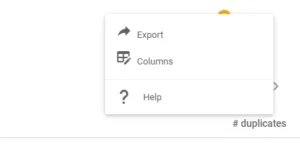
Each issue type in the Site Audit has an exportable list of URLs. Fix the issues yourself, or send the export directly to a developer or CMS manager. No re-explaining, the list has everything they need.
Step 7: Re-Crawl and Compare
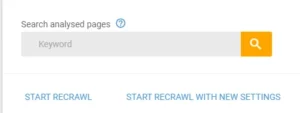
After fixing, run a new Site Audit. XOVI shows you the degree of improvement compared to the previous analysis. So you can show the client exactly what changed.
Don’t Wait for a Ranking Drop to Start Auditing
Crawl errors rarely announce themselves. They build quietly, with one deleted page or one broken link that nobody notices until the damage shows up in a ranking report three months later. By then, you will be more focused on recovery.
The agencies that consistently outperform are running tighter sites. Make crawl health a fixed part of your monthly workflow with XOVI.
Start your 14-day free trial of XOVI and run your first Site Audit today.
Frequently Asked Questions
How often should I run a site audit to spot crawl errors?
Once a month is the baseline for any active site. Push that to every two weeks if a client is regularly publishing content, running a migration, or has recently restructured URLs.
When should I use a 301 redirect instead of a 410 for a dead page?
If there is a relevant live page you want to direct both users and crawlers to, use a 301 redirect. If the content is gone and there is no redirect target, use a 410.
Can 404 errors directly cause drops in ranking?
One 404 on a low-traffic page will not move rankings. However, the damage happens when 404s pile up on pages that carry backlinks or sit in heavily linked sections of the site. It negatively impacts the crawl efficiency.